Jarline
New for iPhone · Six-jar money plan

See where your money went, one jar at a time.

Drop in your bank statement PDFs. Jarline sorts every transaction into six jars and shows how each one compares with your plan.

No account · No sign-in · Your data stays on your iPhone
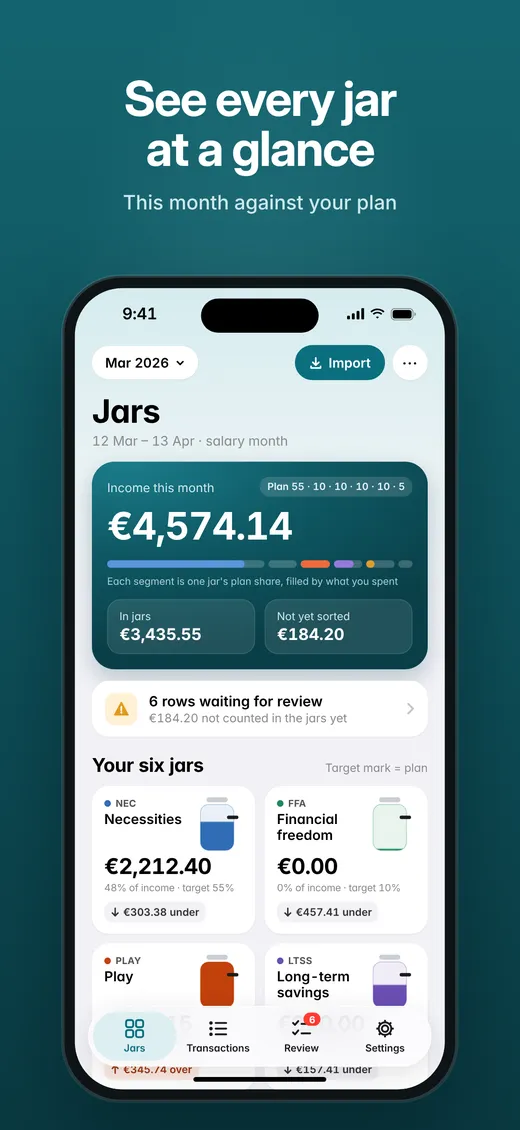
Jarline's Jars screen: income for the month and six jars, each measured against its target
Before

Statements from several banks, a spreadsheet you rebuild every month, and a vague feeling that the money went somewhere.

After

One glance at six jars. Every row sorted and explained, checked to the cent, with nothing hidden or guessed.

Inside Jarline

Everything you need to understand your month.

See every jar at a glance

JARS
Six glass jars, each filled to what you actually spent and marked at your target. Over or under is said in words and amounts, never by colour alone. Months can follow your payday or the calendar.

Your statements in, sorted rows out

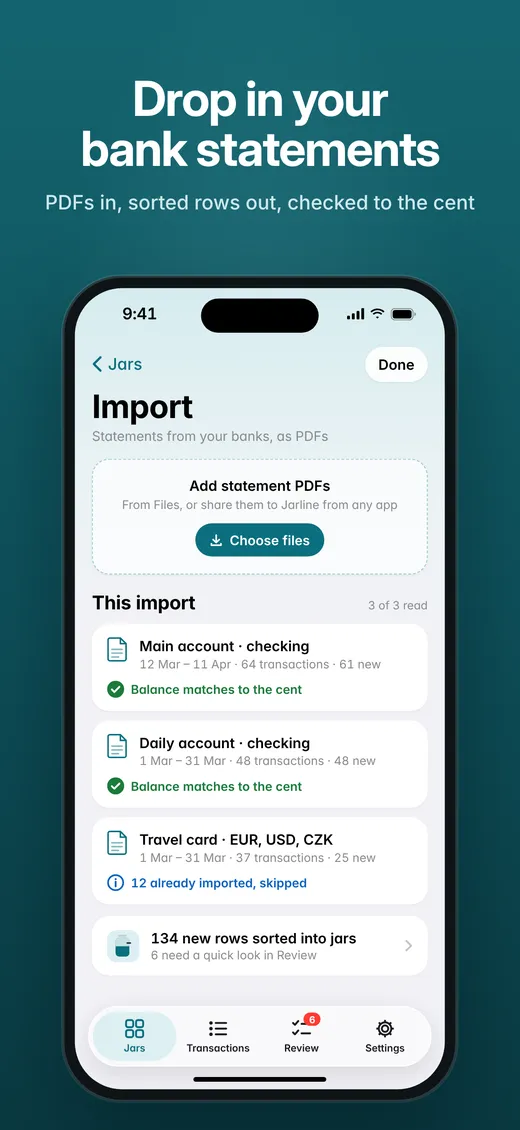
IMPORT
Import several PDFs at once from Files, or share them to Jarline from another app. Statements from Deutsche Bank, DKB and Revolut are recognised automatically, including multi-currency Revolut statements.

Checked to the cent

BALANCE
Every statement that prints its balances is checked, so nothing goes missing quietly. Importing the same file twice gives no duplicates, and transfers between your own accounts never count as spending.

Every jar explains itself

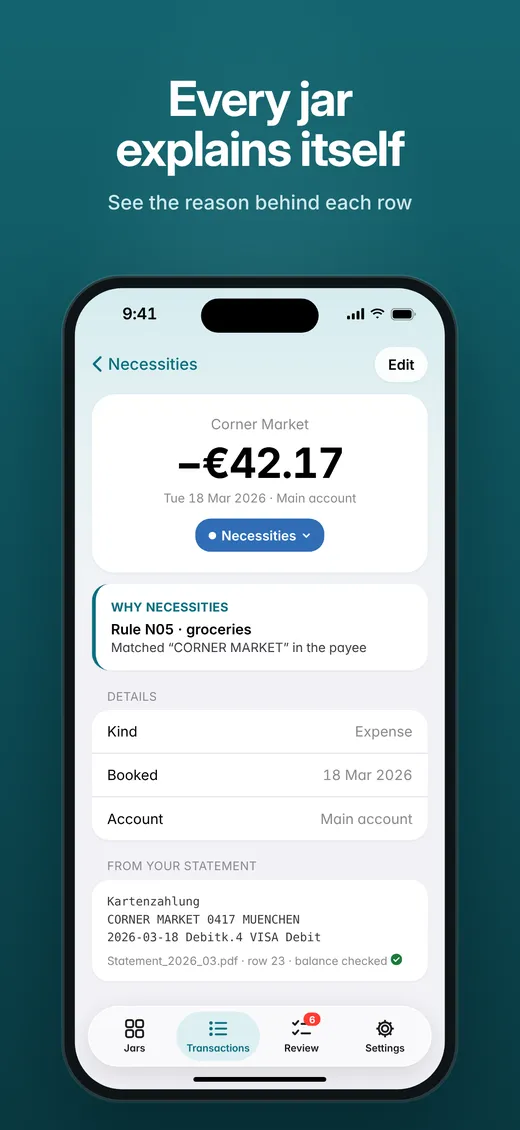
WHY
Each row shows why it landed in its jar, such as the rule and the word it matched. The original statement text is one tap away. Mark a trip once and its spending goes to Play.

Fix it once, it stays fixed

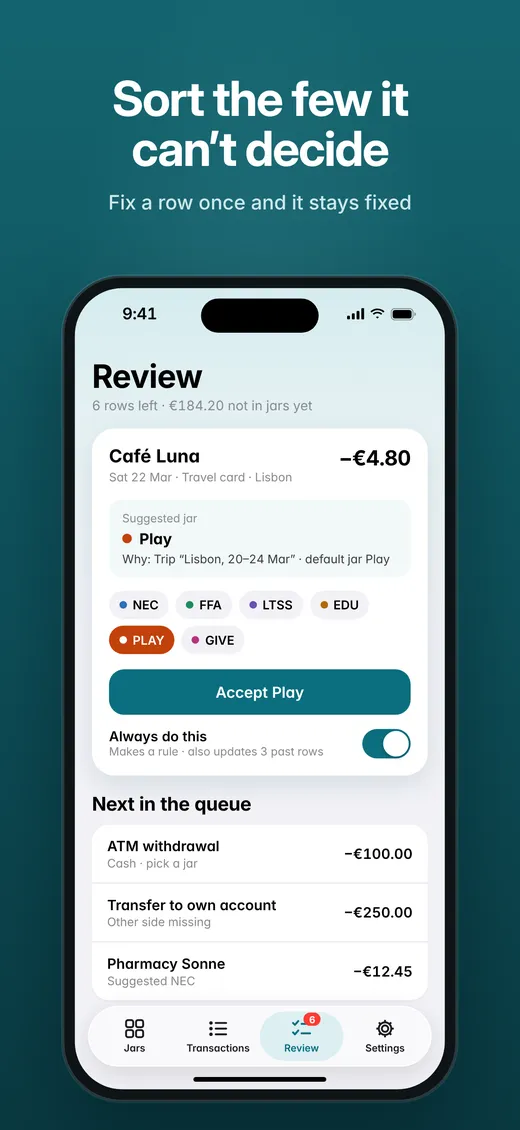
REVIEW
The few rows Jarline can't decide wait in Review with a suggested jar. Turn on "Always do this" to make a rule and see how many past rows it will change first. Starts with 47 ready-made rules.

Private by design

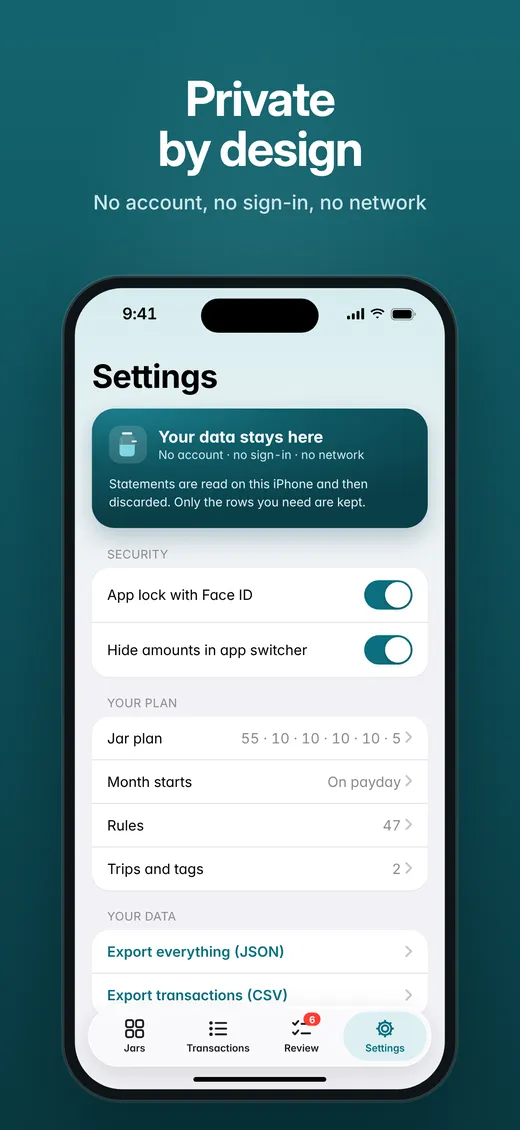
ON DEVICE
No account, no sign-in, no cloud. PDFs are read on your iPhone and then discarded; only the rows are kept. Export everything as JSON or CSV through the share sheet whenever you like.
The six jars method

One income, six purposes.

Jarline starts with the classic 55 / 10 / 10 / 10 / 10 / 5 plan, and you can set your own. Percentages are goals, not rules, and changing the plan never rewrites past months.

Necessities55%
Financial freedom10%
Long-term savings10%
Education10%
Play10%
Give5%
A look inside

Calm, clear and honest.

Jarline screenshot: See every jar at a glance
Jarline screenshot: Drop in your bank statements
Jarline screenshot: Sort the few it can't decide
Jarline screenshot: Every jar explains itself
Jarline screenshot: Private by design
How it works
01

Download

Save this month's statement PDFs from your banking apps, as you already do.

02

Drop in

Import them into Jarline from Files or the share sheet. Balances are checked as they come in.

03

See

Open the Jars screen. Review the few rows Jarline asks about, and your month is sorted.

Your statements are read on your iPhone and then discarded. Nothing is uploaded, and exports leave only when you share them.

No accountNo sign-inNo cloudFace ID lockJSON and CSV export
A
Made by Aldo, an independent developer in Munich

Built to answer one question every month: where did my money go? Native SwiftUI, made for iPhone.

Get your month clear.

Jarline for iPhone. Requires iOS 26.

Bank names describe compatibility only. Jarline is not affiliated with or endorsed by any bank.