
See where your money went, one jar at a time.
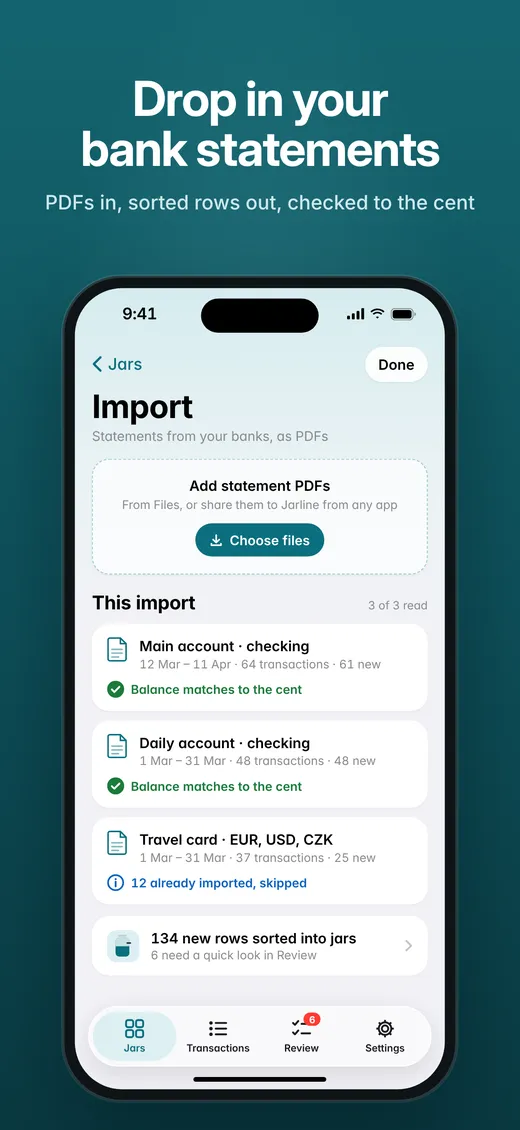
Drop in your bank statement PDFs. Jarline sorts every transaction into six jars and shows how each one compares with your plan.
No account · No sign-in · Your data stays on your iPhone
Statements from several banks, a spreadsheet you rebuild every month, and a vague feeling that the money went somewhere.
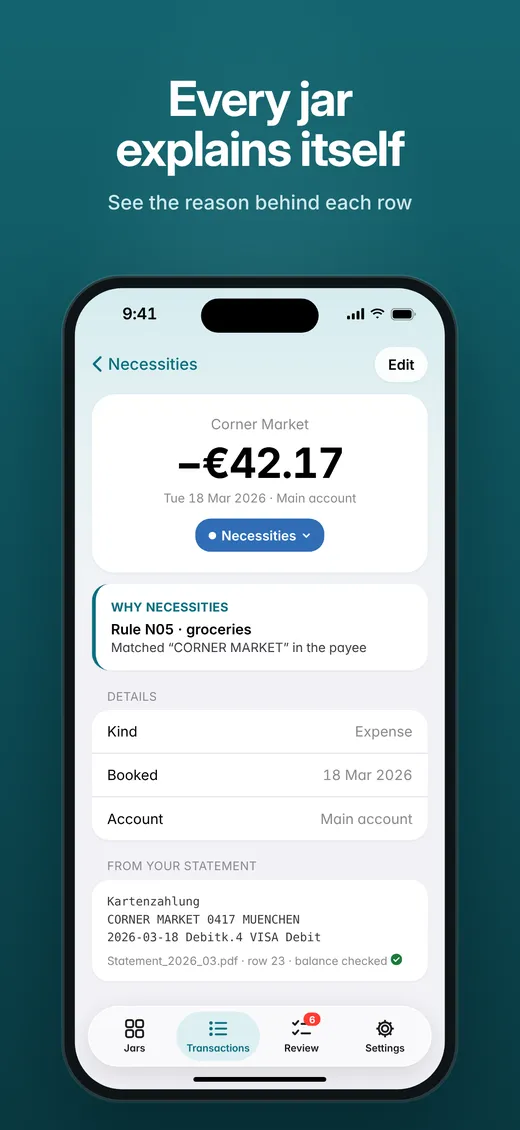
One glance at six jars. Every row sorted and explained, checked to the cent, with nothing hidden or guessed.
Everything you need to understand your month.
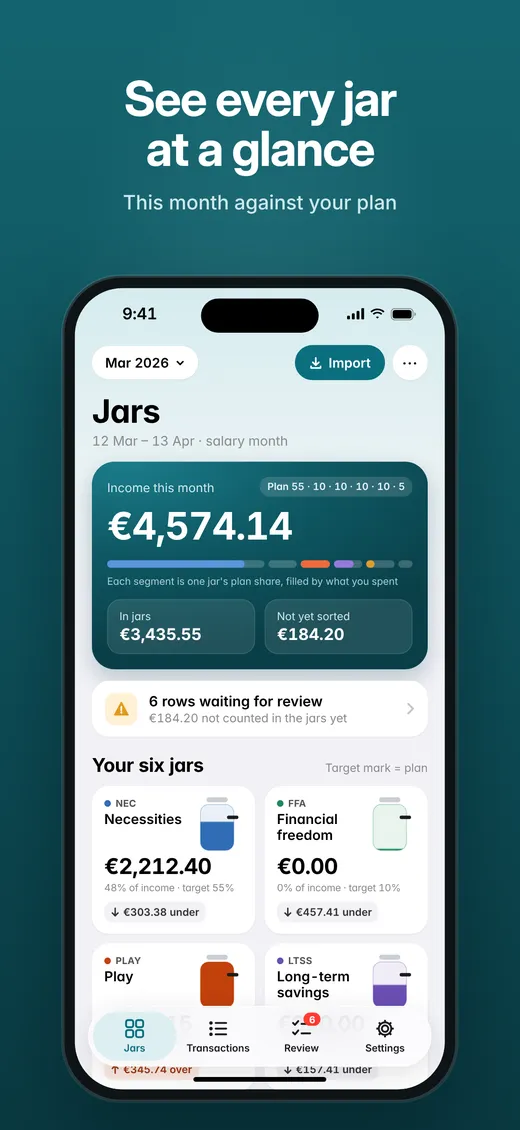
See every jar at a glance
JARSYour statements in, sorted rows out
IMPORTChecked to the cent
BALANCEEvery jar explains itself
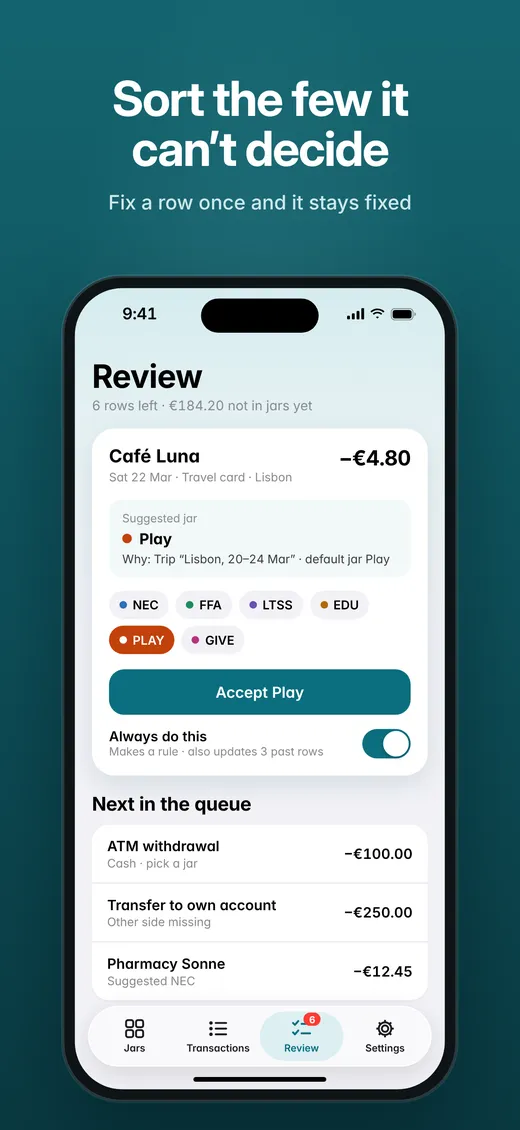
WHYFix it once, it stays fixed
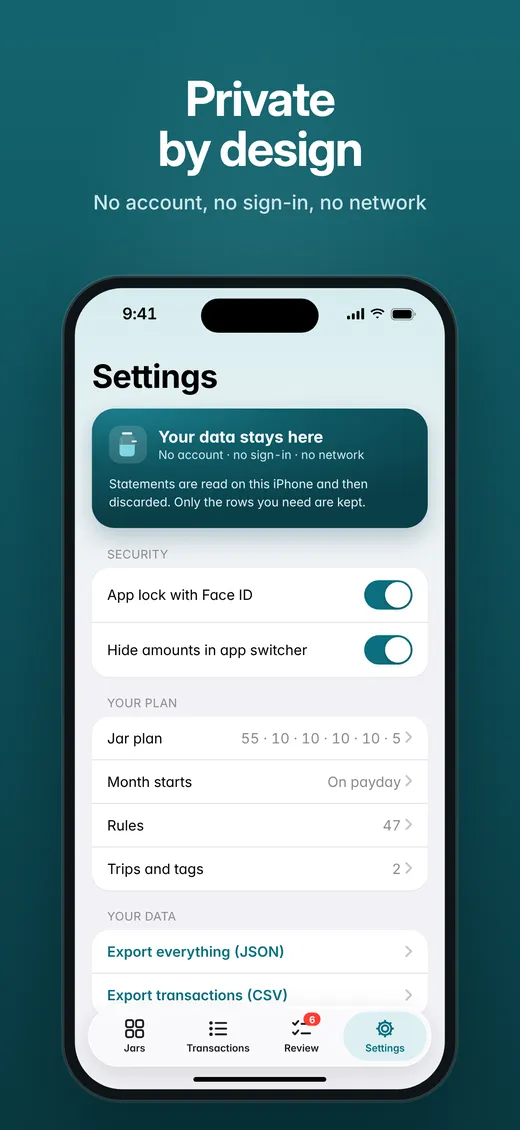
REVIEWPrivate by design
ON DEVICEOne income, six purposes.
Jarline starts with the classic 55 / 10 / 10 / 10 / 10 / 5 plan, and you can set your own. Percentages are goals, not rules, and changing the plan never rewrites past months.
Calm, clear and honest.
Download
Save this month's statement PDFs from your banking apps, as you already do.
Drop in
Import them into Jarline from Files or the share sheet. Balances are checked as they come in.
See
Open the Jars screen. Review the few rows Jarline asks about, and your month is sorted.
Your statements are read on your iPhone and then discarded. Nothing is uploaded, and exports leave only when you share them.
Built to answer one question every month: where did my money go? Native SwiftUI, made for iPhone.
Get your month clear.
Jarline for iPhone. Requires iOS 26.
Bank names describe compatibility only. Jarline is not affiliated with or endorsed by any bank.